
Screenshots
App details
- Version
- 3.5.35
- Size
- 5.72 MB
- Updated
- June 25, 2024
- Requires
- Windows 11
- Language
- English
- License
- Full
- Developer
- MobiMate Ltd.
- Category
- Windows OS
SoftPas in:
This product is also available in the following languages:
About WorldMate Desktop Companion
Download WorldMate Desktop Companion – Travel Planning Software, Free Sync, Windows Tool
Introduction: Why Modern Travelers Need a Desktop Travel Hub
In an era where smartphones dominate the travel‑planning landscape, a robust desktop companion still holds a unique place for power users and professionals who crave comprehensive data handling, deep‑dive analytics, and offline reliability. WorldMate Desktop Companion fills that niche by bringing the celebrated WorldMate experience—originally built for Windows Mobile—onto your PC. Whether you’re orchestrating a multi‑city business tour, a family vacation across continents, or a backpacking adventure with tight budget constraints, the desktop version offers a secure, feature‑rich environment where you can store, edit, and synchronize every itinerary detail.
The software’s core promise is simplicity without sacrificing depth. It lets you compile flight numbers, hotel reservations, car rentals, and even travel companion information in a single, searchable database. Through seamless synchronization with the mobile counterpart, your data travels with you, ensuring you always have the latest itinerary at your fingertips—whether you’re in a hotel lobby with Wi‑Fi or on a remote mountain trail with cellular service.
Beyond basic trip planning, WorldMate Desktop Companion integrates global weather forecasts, currency converters, and a curated directory of travel‑related resources. This makes it more than a static list; it’s an active travel assistant that reacts to changes in flight status, weather patterns, and budget fluctuations. The following sections dive into the software’s architecture, key capabilities, installation steps, system requirements, and the pros and cons you should weigh before deciding to download.
Overview & Key Capabilities
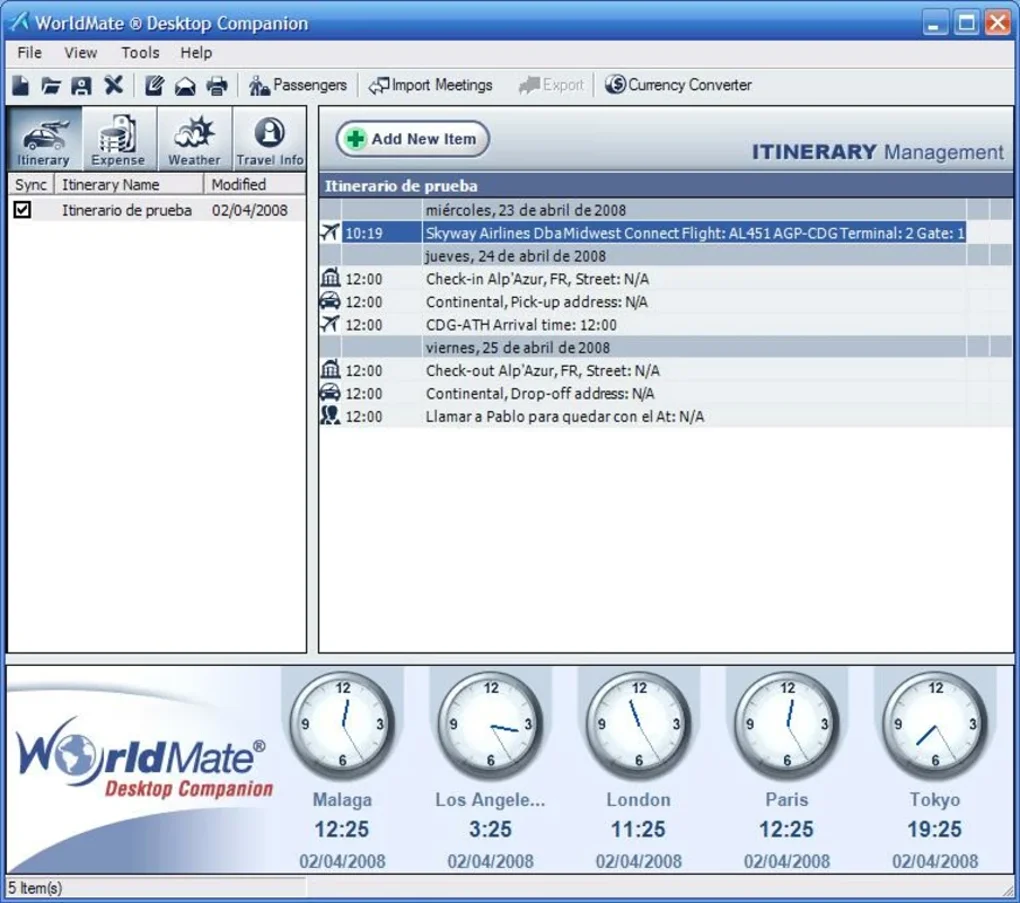
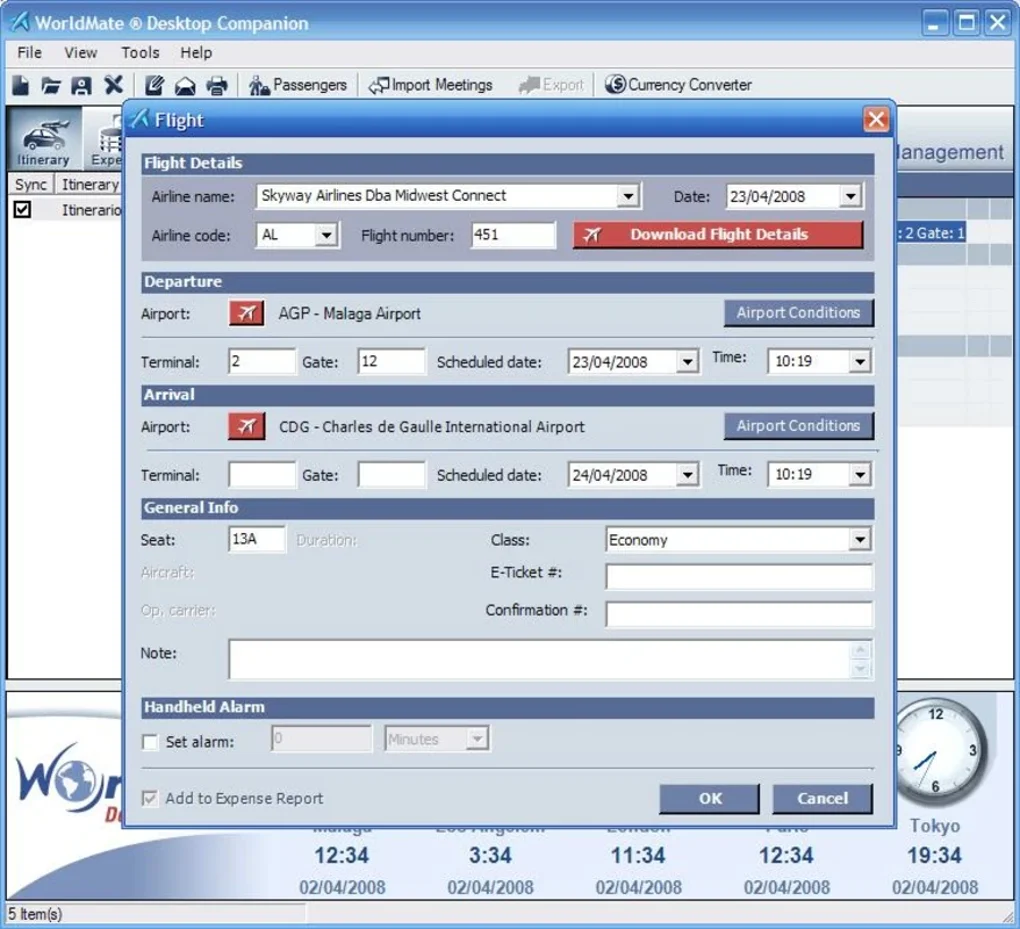
WorldMate Desktop Companion is a Windows‑based travel management application that extends the functionality of the original WorldMate mobile suite. Designed for travelers who demand granular control over their trip data, the desktop client offers four intuitive tabs: Itineraries, Budgets, Weather, and Directory. Each tab serves a distinct purpose while sharing a unified data store, enabling real‑time updates across all sections. The Itineraries tab lets you input detailed flight information, hotel bookings, and transportation schedules, complete with timestamps, confirmation numbers, and custom notes. The Budgets tab provides a spreadsheet‑like interface where you can allocate funds across categories such as accommodation, meals, activities, and emergencies, with automatic currency conversion for international trips.
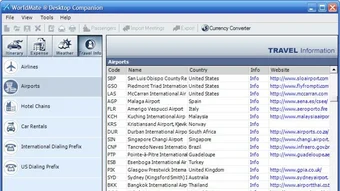
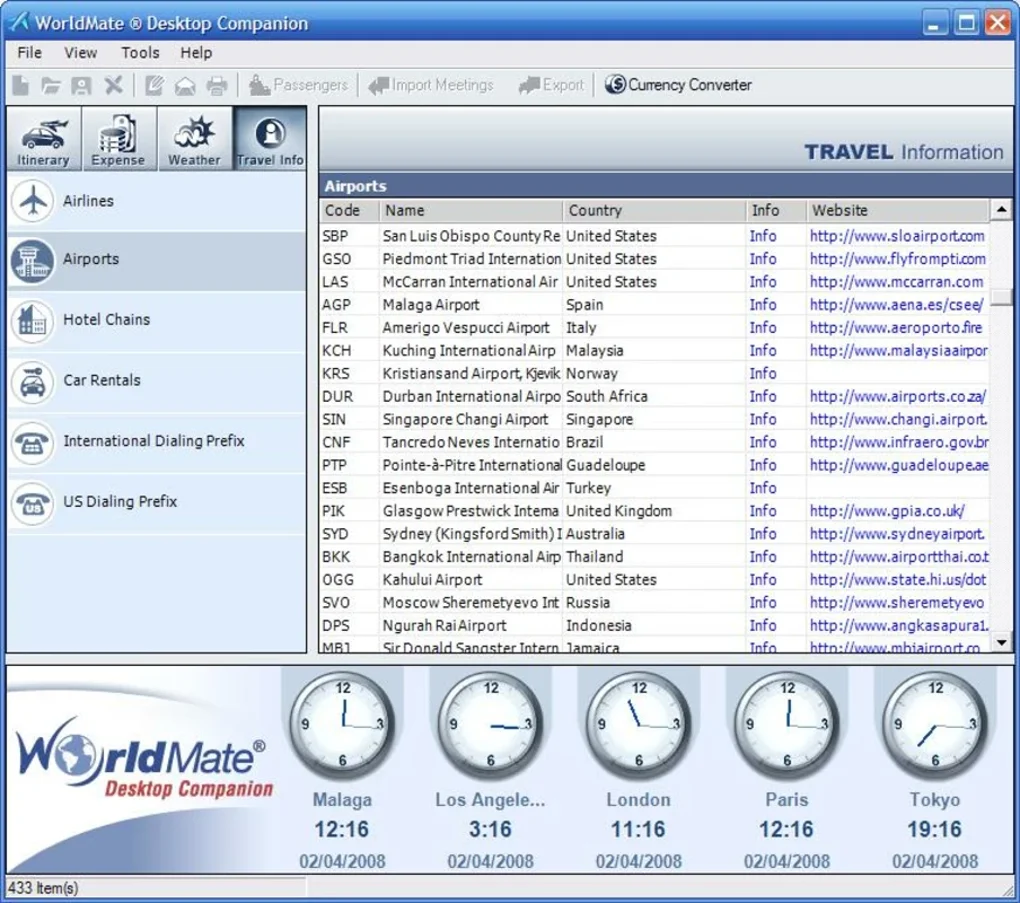
The Weather module pulls global forecasts from reliable meteorological services, presenting 7‑day outlooks for each destination city. This assists travelers in packing appropriately and planning outdoor activities. Meanwhile, the Directory tab aggregates essential travel resources—embassy contacts, local emergency numbers, popular attractions, and recommended restaurants—directly within the application, reducing the need to browse multiple websites.
One of the standout features is the seamless sync engine that mirrors data with WorldMate on Windows Mobile devices. This two‑way sync ensures that any changes made on the desktop—such as a last‑minute flight change—are instantly reflected on the handheld device, and vice versa. The sync process is encrypted, guaranteeing that personal travel details remain private and secure during transmission.
Feature List
- Four main tabs: Itineraries, Budgets, Weather, Directory.
- Comprehensive flight and reservation entry fields with auto‑fill support.
- Dynamic budgeting tool with multi‑currency conversion.
- Real‑time global weather forecasts for each destination.
- Integrated travel directory with embassy, emergency, and attraction data.
- Two‑way encrypted sync with WorldMate Windows Mobile counterpart.
- Export options: CSV, PDF, and printable itinerary summaries.
- Searchable database with filters by date, location, and category.
- Offline mode for uninterrupted access during flights or remote locations.
- Automatic backup to local drive and optional cloud storage integration.
Collectively, these capabilities position WorldMate Desktop Companion as a versatile tool for both casual vacationers and frequent business travelers. Its blend of granular data entry, visual organization, and secure synchronization sets it apart from generic travel‑planning apps that often lack depth and cross‑device continuity.
Installation, Setup, and System Compatibility
Getting WorldMate Desktop Companion up and running is straightforward, even for users who are not technically inclined. Below is a step‑by‑step guide that walks you through the download, installation, initial configuration, and synchronization process.
Step‑by‑Step Installation
- Download the installer: Visit the official WorldMate website or a trusted software repository and click the “Download for Windows” button. The installer is a compact
.exefile (approximately 45 MB). - Run the installer: Double‑click the downloaded file. Windows User Account Control (UAC) will prompt you to confirm that you want to allow the app to make changes; click “Yes.”
- Accept the license agreement: Review the End‑User License Agreement (EULA) and click “I Agree” to proceed.
- Select installation folder: By default, the program installs to
C:\Program Files\WorldMate. You may change the location if desired. - Choose components: The installer offers optional components such as a desktop shortcut and automatic update service. It is recommended to enable automatic updates for security patches.
- Complete the installation: Click “Install.” The process typically finishes within two minutes. Once complete, click “Finish” to launch the application.
Initial Configuration
Upon first launch, WorldMate Desktop Companion prompts you to create a new profile or import an existing one from a Windows Mobile device. If you already have a mobile version, choose “Import from Mobile” and connect your PDA via USB or Bluetooth. The sync wizard will detect the device, authenticate the connection, and begin transferring itineraries, budgets, and directory entries. For new users, select “Create New Profile” and start populating your first trip using the intuitive tab interface.
System Compatibility
WorldMate Desktop Companion is optimized for Windows operating systems. The officially supported environments are:
- Windows 10 (64‑bit) – Recommended for best performance and security updates.
- Windows 8.1 (64‑bit) – Fully supported, though some visual themes may differ.
- Windows 7 SP1 (64‑bit) – Supported, but users should ensure that the latest Service Pack and security patches are installed.
While the software is designed for desktop PCs, it can also run on laptops with comparable hardware specifications. Minimum hardware requirements include a 1 GHz processor, 2 GB RAM, and 200 MB of free disk space. For optimal experience—especially when handling large multi‑destination trips—an SSD and 4 GB RAM are advisable.
WorldMate Desktop Companion does not have native macOS or Linux versions. However, Windows users can employ virtualization tools (e.g., Parallels Desktop, VMware) to run the application on non‑Windows platforms, provided the virtual machine meets the above hardware criteria.
Pros, Cons, and Frequently Asked Questions
Pros
- Deep data granularity: Allows detailed entry of flight numbers, seat assignments, and special requests.
- Secure two‑way sync: Keeps desktop and mobile versions perfectly aligned without manual export/import.
- All‑in‑one travel hub: Combines itineraries, budgeting, weather, and directory resources in a single interface.
- Offline accessibility: All information is stored locally, ensuring access during flights or in low‑connectivity regions.
- Customizable reports: Export itineraries to PDF or CSV for sharing with travel companions or accountants.
Cons
- Windows‑only: No native macOS or Linux version limits cross‑platform adoption.
- Interface appears dated: The UI reflects design trends from the early 2010s, which may feel less modern compared to newer apps.
- Learning curve: The extensive feature set can overwhelm users who only need basic trip planning.
- No built‑in flight tracking: Users must rely on external services for real‑time flight status alerts.
- Limited integration with third‑party calendars: Syncing with Google Calendar or Outlook requires manual export.
FAQ – Your Questions Answered
Can I sync WorldMate Desktop Companion with an Android device?
WorldMate Desktop Companion syncs exclusively with the Windows Mobile version of WorldMate. At this time there is no native Android or iOS sync capability, though you can export itineraries as CSV or PDF and manually import them into Android travel apps.
Is my travel data encrypted during synchronization?
Yes. The sync engine uses AES‑256 encryption for data in transit, ensuring that personal itineraries, budgets, and contact details remain confidential between the desktop and mobile devices.
Can I use WorldMate Desktop Companion without an internet connection?
Absolutely. All core data—itineraries, budgets, and directory entries—are stored locally on your PC. Internet is only required for optional features such as weather updates and cloud backup.
How often does the software receive updates?
The development team releases major updates twice a year, with security patches and minor bug fixes distributed monthly through the built‑in update service.
Is there a free trial or a completely free version?
WorldMate Desktop Companion is offered as a fully functional free download. No subscription is required, though optional premium add‑ons—such as advanced analytics or cloud storage integration—are available for purchase.
Conclusion & Call to Action
WorldMate Desktop Companion stands out as a comprehensive, secure, and offline‑ready travel planning solution for Windows users who demand more than a simple checklist app. Its strength lies in the depth of data it can manage— from granular flight details to multi‑currency budgeting—paired with a reliable sync engine that keeps your desktop and mobile experiences in perfect harmony. While the lack of macOS support and a slightly dated interface may deter some, the overall value proposition remains strong, especially for power travelers, travel agencies, and corporate travel managers who need an all‑in‑one hub.
If you’re ready to streamline your trip planning, safeguard your itineraries, and enjoy real‑time weather insights without leaving your desk, download WorldMate Desktop Companion today. The free installer, automatic updates, and secure synchronization make it a risk‑free addition to your travel toolkit.
WorldMate Desktop Companion delivers a powerful, feature‑rich environment for meticulous travel planning. Its strongest assets are the detailed itinerary manager, robust budgeting tools, and secure two‑way sync with Windows Mobile. Although the UI feels a bit retro and the app is limited to Windows, the depth of functionality justifies its place in any serious traveler’s software suite.
- Extensive data fields for flights, hotels, and transport.
- Offline access and encrypted synchronization.
- Integrated weather and travel directory.
- No native macOS or Linux version.
- Interface could use a modern redesign.
- Limited integration with external calendar services.
Guides & Tutorials
How to install WorldMate Desktop Companion
- Click the Download button above.
- Once redirected, accept the terms and click Install.
- Wait for the WorldMate Desktop Companion download to finish on your device.
How to use WorldMate Desktop Companion
This software is primarily used for its core features described above. Open the app after installation to explore its capabilities.
User Reviews
No reviews yet. Be the first to share your experience.
You may also like
more
Llama 2
Free-to-use large language model As the new addition to Meta’s arsenal of langua...

NotebookLM
Revolutionizing the note-taking and idea-generation process NotebookLM is an exp...

Github co pilot
AI-inspired software development and coding platform GitHub Copilot is a browser...

Google Gemma
Google’s lightweight AI models Introducing Google Gemma , a family of cutting-ed...

AI Image Enlarger
A free app for Windows, by ai-image-larger. AI Image Enlarger is a free software...

DALL E
AI-driven text-to-image transformation engine DALL·E is a free graphic and desig...